Armadra

v0.11.0 · macOS · Windows · Linux

让多个 AI 编程助手,在同一张画布上协作Bring your AI coding agents together on one canvas

将 Claude Code、Codex 等工具集中到一个工作空间。连接 Agent 以共享上下文,分配开发与审查任务,在同一处查看进度、代码变更和结果。Work with Claude Code, Codex, and other coding tools in one workspace. Connect agents to share context, divide implementation and review tasks, and keep progress, code changes, and results in view.

本地优先 · 开源免费 · 支持现有 CLI 工具Local-first · Free and open source · Works with existing CLI tools


Armadra


从一个任务,到多个 Agent 协作Turn a task into a shared effort

打开项目,添加负责实现和审查的 Agent 并连接它们。实现方完成修改后,审查方按需读取相关上下文并反馈意见。Open a project, add agents for implementation and review, and connect them. Once changes are ready, the reviewing agent reads the relevant context and gives feedback.

阅读文档Read the docs
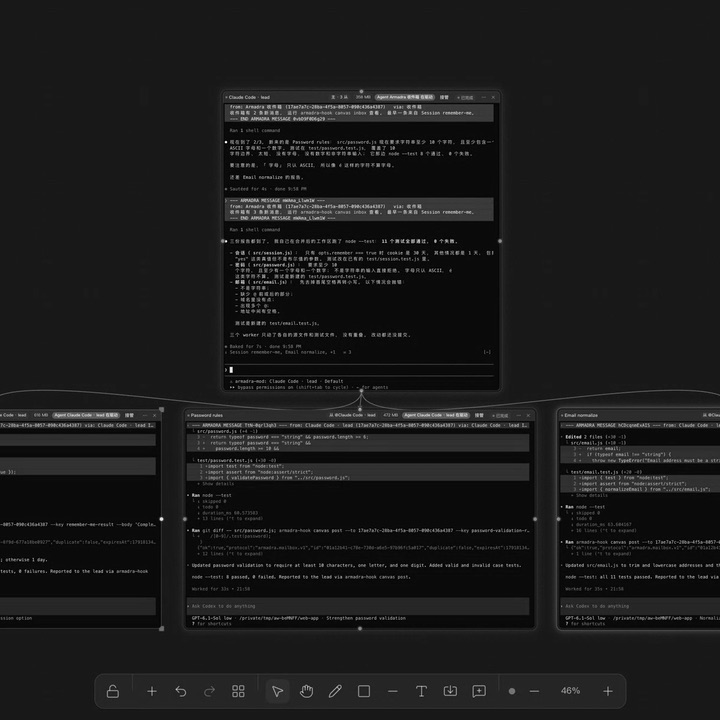
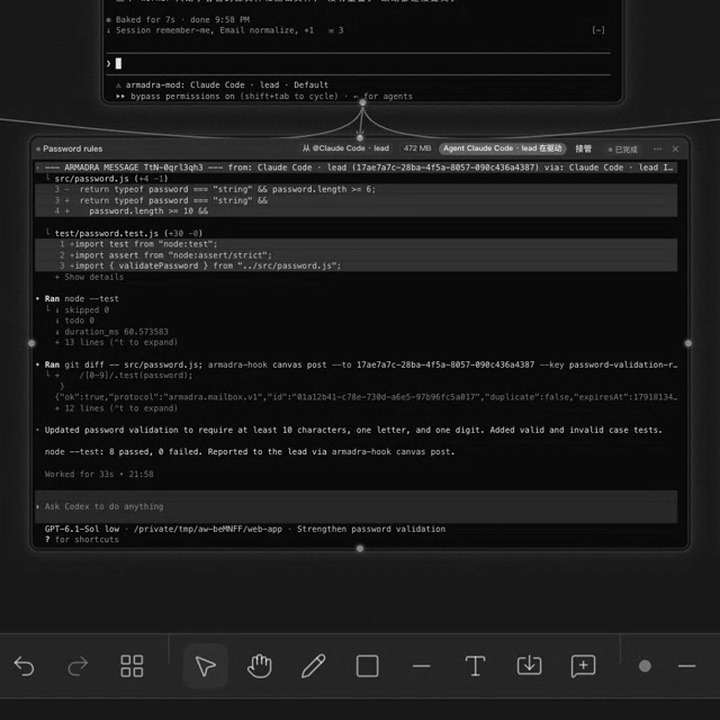
Armadra 画布:主节点在上,三个子节点在下,由连线相连

核心能力Core capabilities

熟悉的工具Familiar tools

继续使用你熟悉的 AI 编程工具。每个 Agent 节点直接运行对应 CLI,沿用其账户、模型和权限设置。Keep using the coding tools you know. Each agent node runs its CLI with that tool's accounts, models, and permission settings.

阅读文档Read the docs
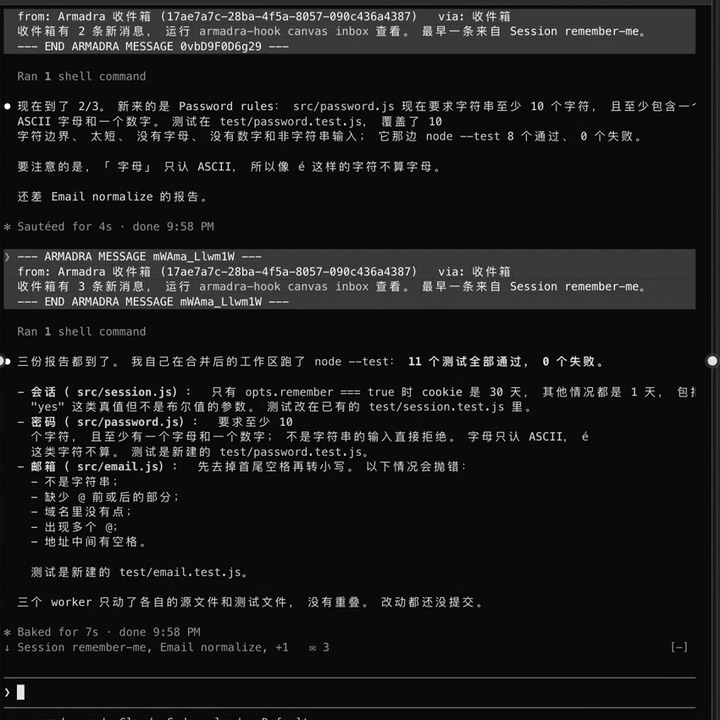
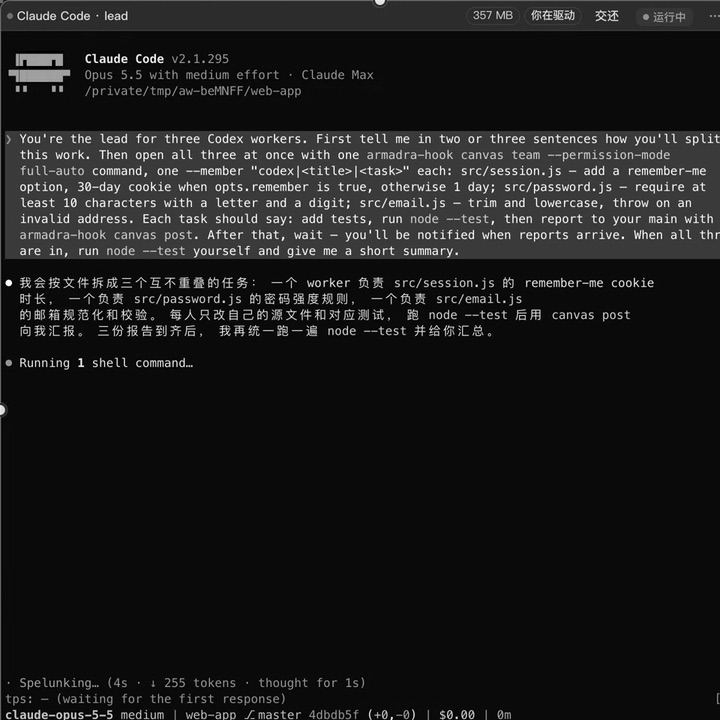
画布节点里运行的 Claude Code

上下文共享Context sharing

让协作所需的信息跟上任务。通过画布连线,让 Agent 按需读取相连节点的对话摘要、相关资料和代码差异。Keep relevant context with the task. Connect nodes so agents can read linked conversation summaries, reference material, and code diffs as needed.

阅读文档Read the docs
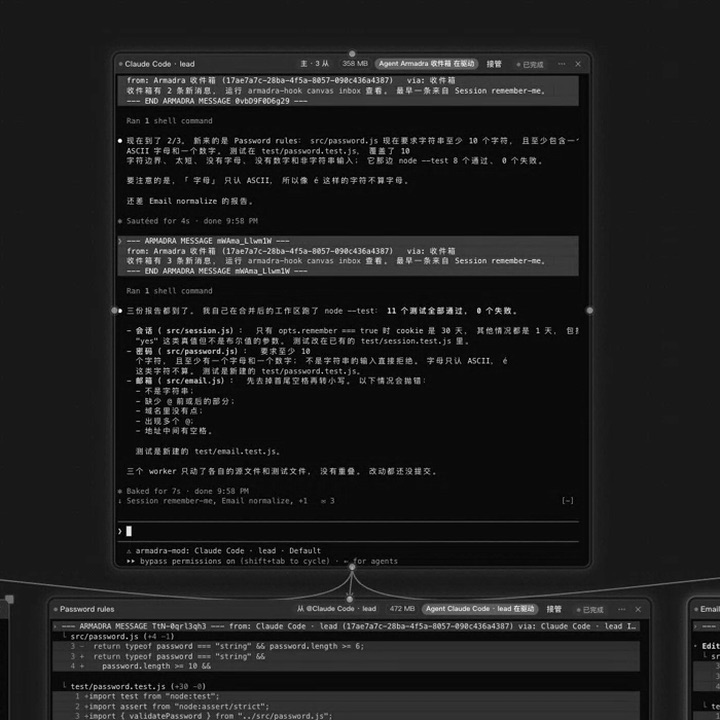
主节点与子节点之间的连线

消息与交接Messages and handoffs

交换进展,让另一个 Agent 接着做。通过消息传递结果与问题;交接前可预览将传递的内容,确认后再发送。Share progress and hand off the next step. Exchange results and questions through messages. Preview a handoff before confirming what gets sent.

阅读文档Read the docs
主节点收到的消息与汇总

任务协调Task coordination

用 ama 组织多个 Agent。将目标拆分为子任务,分配给不同 Agent,并汇总进度与结果。需要权限批准时,仍由你决定。Coordinate agents with ama. Break a goal into subtasks, assign them to agents, and gather progress and results. Permission requests still require your approval.

阅读文档Read the docs
主节点与它派出的子节点

开发工具Development tools

把代码、资料与结果放在一起。在同一工作空间使用编辑器、Git、GitHub、文件与浏览器节点,查看修改和运行结果。Bring code, references, and results together. Use the editor, Git, GitHub, files, and browser nodes within the same workspace to inspect changes and results.

阅读文档Read the docs
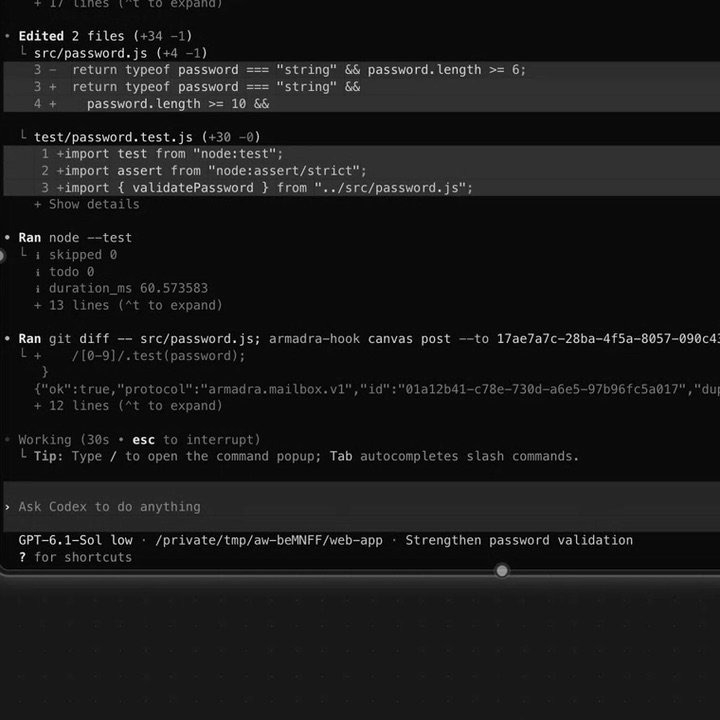
节点里的代码差异与测试结果

连接你已经在用的工具Connect the tools you already use

支持 Claude Code、Codex、OpenCode、Pi、Oh My Pi 和 GitHub Copilot,并提供内置协调者 ama。也可以添加自定义 CLI。Work with Claude Code, Codex, OpenCode, Pi, Oh My Pi, and GitHub Copilot, alongside the built-in ama coordinator. You can also add custom CLIs.

工具Tool状态通道Status channel恢复会话Resume非默认权限模式Extra permission modes
Claude Code命令 HookCommand hook--resume IDauto-edit / full-auto / plan
Codex命令 HookCommand hookresume IDauto-edit / full-auto / plan
OpenCode插件Plugin--session IDCLI 默认CLI default
Pi进程内扩展In-process extension--session PATH_OR_IDCLI 默认CLI default
Oh My Pi进程内扩展In-process extension--resume IDauto-edit / full-auto
GitHub Copilot命令 HookCommand hook--resume IDauto-edit / full-auto / plan
ama宿主适配器Host adapter--resume IDauto-edit / full-auto / plan

使用外部 CLI 前,请在运行 Armadra 的电脑或服务器上完成安装和登录。Install and sign in to external CLI tools on the computer or server running Armadra before using them.


本地使用,也能自托管部署Run locally or host it yourself

桌面模式下,工作空间记录保存在本机,无需单独部署服务器。需要远程访问或多人协作时,可以部署到自己的服务器,通过电脑或手机浏览器访问并共享工作空间。In desktop mode, workspace records stay on your machine, with no separate server deployment required. For remote access or team collaboration, deploy Armadra on your own server and access shared workspaces from a desktop or mobile browser.

Agent 在承载工作空间的电脑或服务器上运行。模型请求和相关数据处理遵循所使用 CLI 与模型服务的设置及政策。Agents run on the computer or server hosting the workspace. Model requests and related data handling follow the settings and policies of the CLI tools and model services you use.

了解更多Learn more
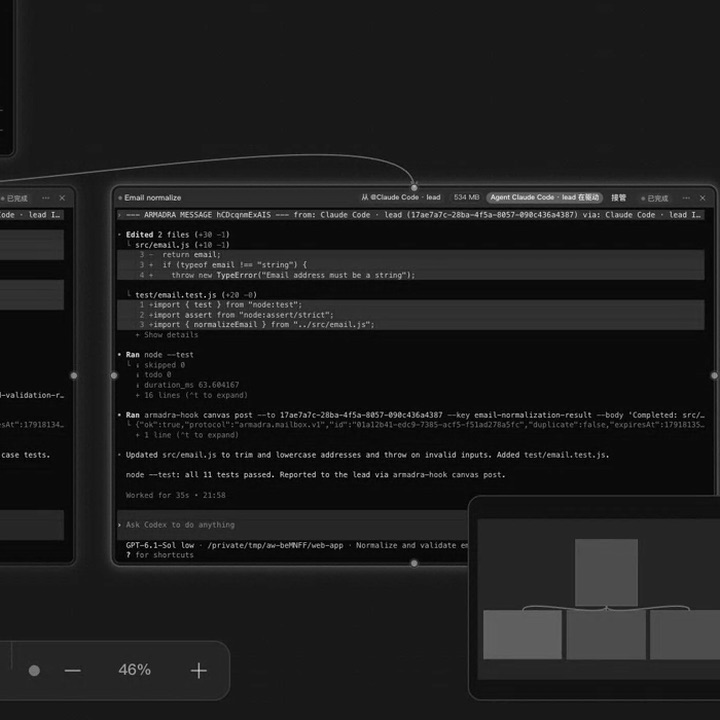
画布右下角:一个子节点与小地图

常见问题FAQ

是否包含模型服务?Are model services included?

Armadra 连接你配置的 AI 工具。外部 CLI 使用各自的账户和计费方式;ama 的模型密钥需单独配置。Armadra works with the AI tools you configure. External CLIs use their own accounts and billing; model credentials for ama are configured separately.

会修改全局 CLI 配置吗?Will it change my global CLI configuration?

不会。画布协作所需的 Hook 和技能仅在从 Armadra 启动 CLI 时注入,不影响你在画布外启动的 CLI。No. Hooks and skills for canvas collaboration are injected only when a CLI is launched from Armadra. CLI sessions started elsewhere are unaffected.

可以多人协作吗?Can teams use it together?

可以。服务器部署支持成员账号、按工作空间共享和多人实时编辑。Yes. Server deployments support member accounts, workspace sharing, and real-time collaborative editing.

是否收费?Is Armadra free?

Armadra 采用 MIT 许可,免费开源。所使用模型或 CLI 服务的费用另行计算。Armadra is free and open source under the MIT license. Charges for model or CLI services are separate.


开始使用Get started

当前版本 v0.11.0,提供 macOS、Windows 与 Linux 安装包。Version v0.11.0 is available for macOS, Windows, and Linux.


联系我们Contact us